
Rostering & attendance
Build the week once — Corella carries it from there.
Rostering is where a care business wins or loses its week. Corella's board is built for the real thing — group shifts, sleepovers, recurrence, cancellations with the right NDIS codes — and everything that happens on shift flows straight through timesheets into payroll exports, without being typed twice.
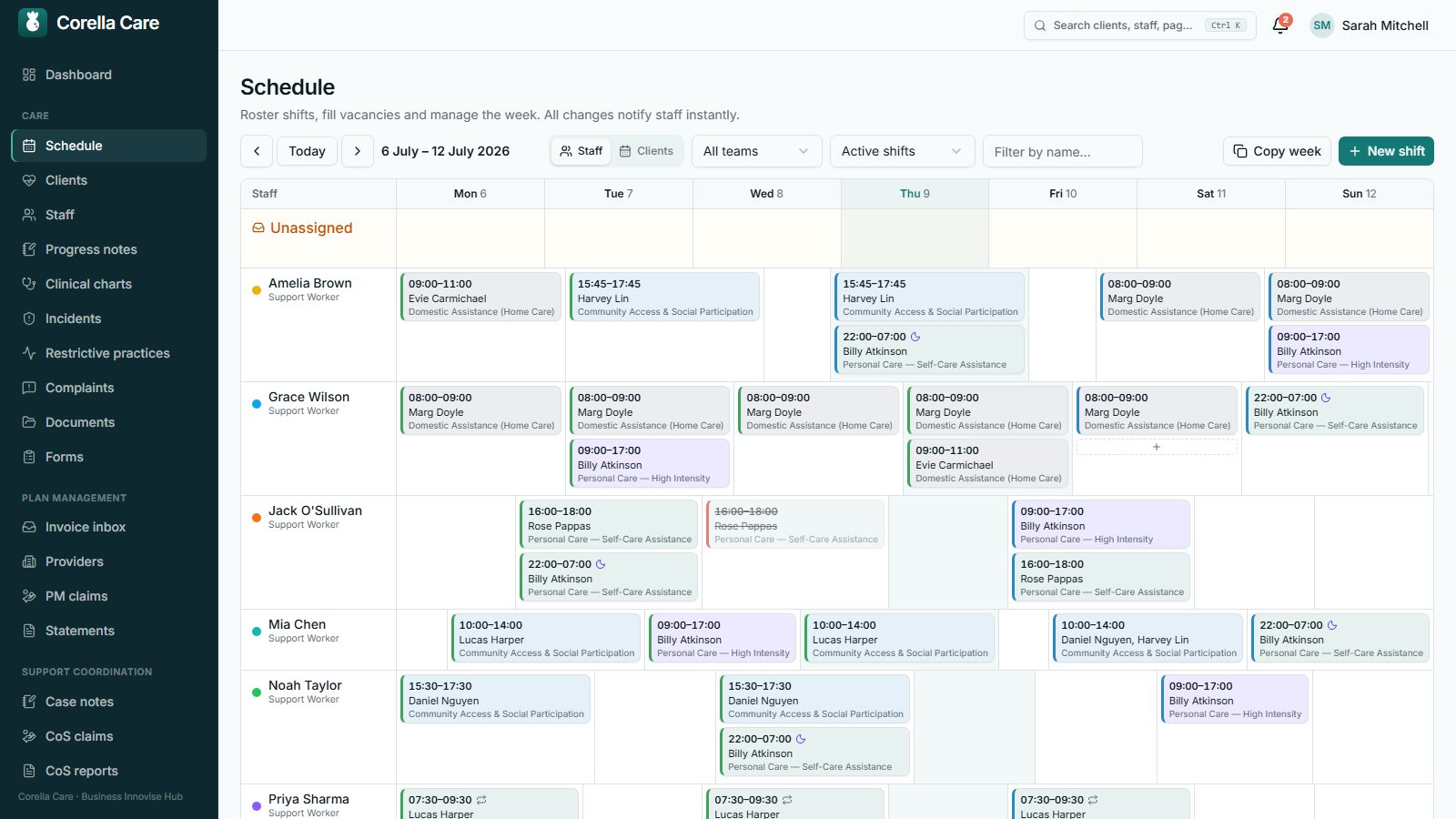
A board that shows you the whole week
Roster by staff or by client, create a shift from any cell, and let recurrence do the heavy lifting — weekly or fortnightly patterns materialise months ahead, and 'copy week' carries a good week forward. Group shifts split billing equally across clients; sleepovers and multi-staff ratios are first-class, not workarounds.
Conflicts that explain themselves
Double-bookings, approved leave, weekly-hour caps, compliance gaps and client-blocked staff are all caught as you roster — each warning says what's wrong and why. Overriding is allowed, deliberate, and leaves a trail. Cancellations are a proper flow too: provider or client, with short-notice billable handled under the correct NDIS codes.
Clock-on that protects the shift record
Carers clock on and off from their phone with GPS capture, inside a configurable clock-on window. If a shift has must-do tasks or requires a progress note, clock-off waits until they're done — so the record is complete when the shift ends, not chased on Friday. Open shifts go to a job board where available staff take or apply for them.
Timesheets approved from one screen
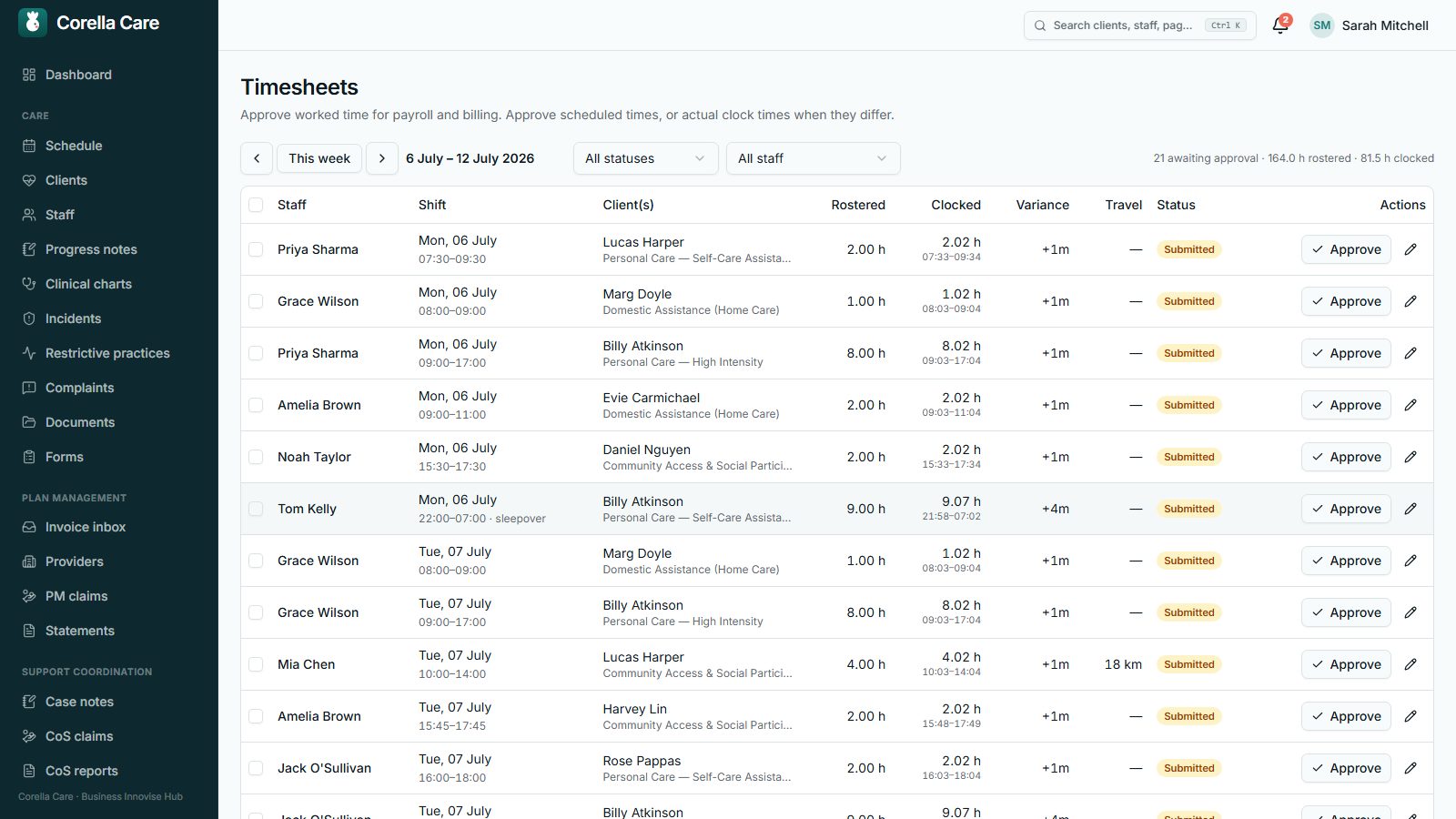
The timesheet queue shows rostered versus clocked side by side, flags the variances, and lets you approve scheduled or actual times in bulk — tick, approve, done. Times are precise to the minute, and editing a time simply reopens the approval so nothing slips through half-checked.
Travel time, claimed when it actually happens
At clock-off — never before clock-on — carers log their kilometres and travel minutes together. The timesheet queue shows both for review, and approved travel pays automatically as its own payroll line at the shift's rate, flowing into the same payroll export. One system means the kilometres you pay are the kilometres you bill.
Fair questions
Asked about this, often.
Can carers log travel before the shift?
What can block clock-off?
How do recurring shifts work?
Does Corella interpret the SCHADS award?
See your organisation in Corella.
A 30-minute walkthrough with the people who built it — your workflows, your terminology, not a canned demo.